將自己的 Facebook 頁面轉為 Firefox OS 行動 App
不論你負責經營的是公司或社群頁面,還有什麼能比獨立的行動 App 更能提高網頁的觸及度呢?
只要你具備最基本的程式開發知識,再完成 Apptuter 這個開放源碼框架的必要步驟,就能開發出自己的獨立行動 App。此框架目前支援 Facebook 頁面作為其內容來源,並可用以開發 Firefox OS 與 Android 平台的 App。
運作方式
先來看看 Apptuter 的運作方式。我們先以 Mozilla 的 Facebook 頁面作為內容來源,產生獨立的 App。
複製 Repo
第一步就是到 Apptuter repository 下載或複製 Apptuter-Firefox 目錄:
git clone https://github.com/egirna/apptuter.git
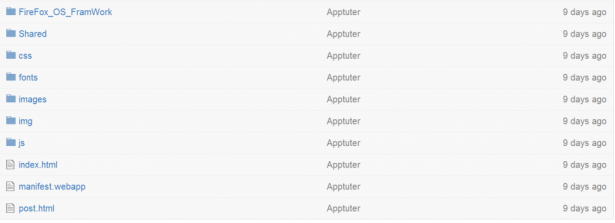
目錄結構如下:
取得 Facebook 的數字識別碼
接著必須取得 Facebook 的頁面識別碼 (純數字)。如果你已經指定了好記又友善的頁面名稱,則網址上不會看到頁面識別碼。這種情形下,我們就必須前往下列網址以檢視之:
https://graph.facebook.com/mypagename
本文的範例就會是:https://graph.facebook.com/mozilla
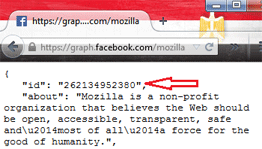
頁面識別碼就是回傳資料的第一行:
建立 Facebook App
下一步就是建立 Facebook App。只要組合 APP ID 與 APP SECRET,就會得到 App 的 ACCESS TOKEN;因此必要網址就會如下:
http://graph.facebook.com/endpoint?key=value&access_token=app_id|app_secret
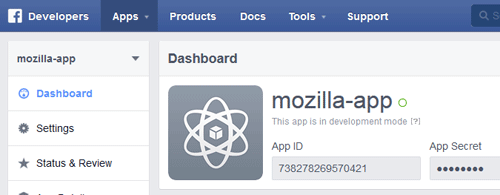
Requesting Page Info (Info.js) 可讓我們定義相關參數,且可於 /Apptuter-Firefox/js 找到取代 PageID 所用的數字:
var Main = function () {
    this.pageName = ‘pageID’;
    this.name = null;
    this.category = null;
    this.description = null;
    this.photoArray = null;
    this.postArray = null;
    this.infoArray = [];
    this.accessToken = 'AppID|AppSecret';
    this.pictureUrl = null;
    this.paging = 'https://graph.facebook.com/' + this.pageName + '/posts?limit=20&access_token='+this.accessToken;
    this.pagingNext = 'https://graph.facebook.com/' + this.pageName + '/posts?limit=20&access_token='+this.accessToken;
}
接著在根目錄找到 manifest.webapp 檔案,即可於其中定義新的 App 屬性:
{
  "name": "Mozilla App",
  "description": "This is an example app of apptuter framework",
  "launch_path": "/Shared/index.html",
  "icons": {
    "32": "/images/app_icon_32.png",
    "60": "/images/app_icon_60.png",
    "90": "/images/app_icon_90.png",
    "120": "/images/app_icon_120.png",
    "128": "/images/app_icon_128.png",
    "256": "/images/app_icon_256.png"
  },
  "chrome": {
    "navigation": true
  },
  "version": "1.0.1",
  "developer": {
    "name": "Egirna Technologies Limited",
    "url": "http://www.apptuter.org"
  },
  "orientation": [
    "portrait"
  ],
  "default_locale": "en"
圖素
最後就剩下圖素了。到 Repo 的 /Apptuter-Firefox/images 目錄中找到預設圖像,再用對應尺寸與檔案名稱的範例圖示取代。
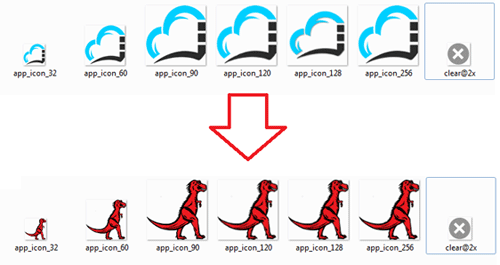
成功了!
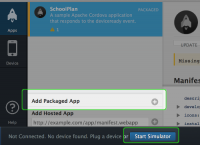
這樣就完成了!接著就透過 Firefox OS 模擬器 (Firefox OS Simulator) 測試 App 的樣子:
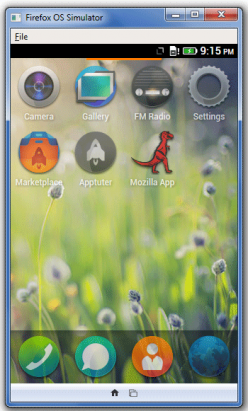
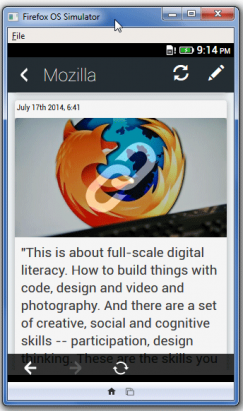
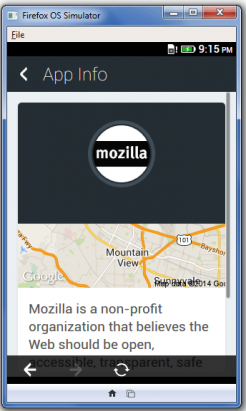
你最後必須確保軟體符合 Facebook、Google、Mozilla 的服務條款,以及消費者授權協定的規範。而且相關規定亦適用該軟體可整合的其他服務。
原文連結:Turn your Facebook page into a Firefox OS mobile app